starryai - AI Art Generator
- 4.3
- Rating
- 10.00M
- Installs
- Free
- Price
 Analysis by App-foxy
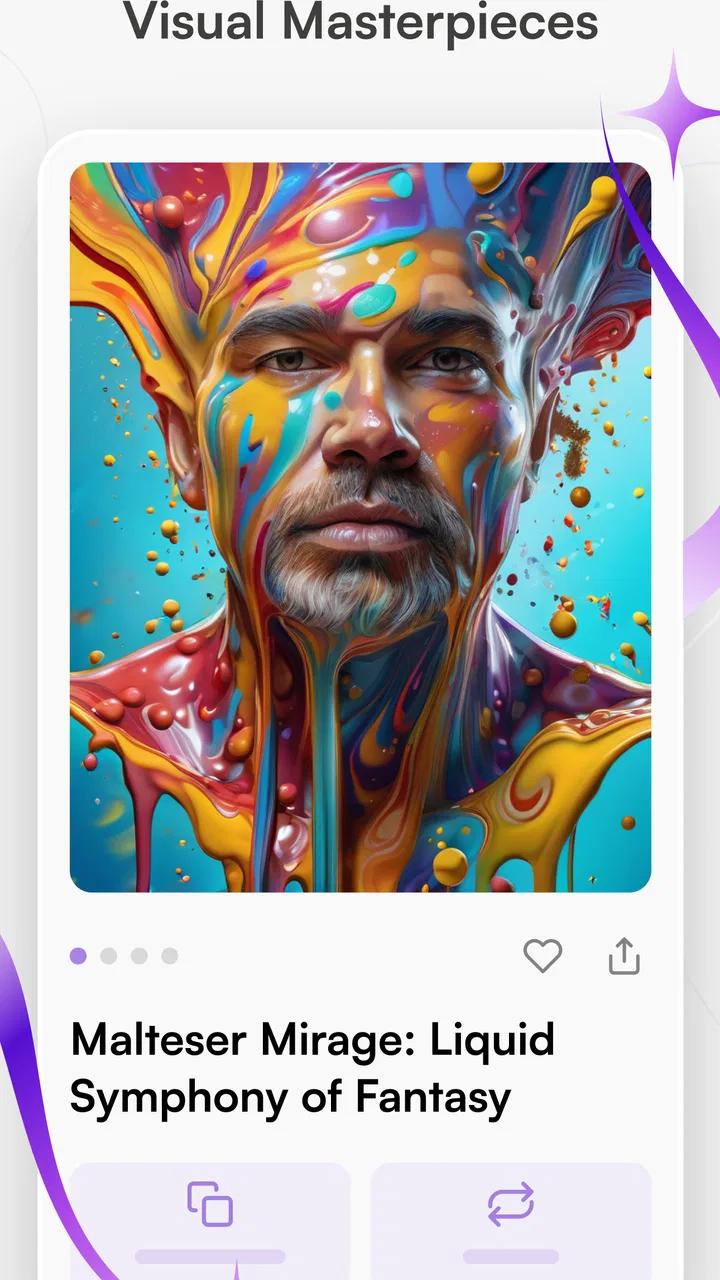
I came away from starryai - AI Art Generator feeling that it is best understood as a quick visual idea machine rather than a replacement for a full drawing studio. I can type a concept, choose a direction, and get an image that may be useful for a mood board, social post, character idea, wallpaper concept, or a simple creative experiment. The results can be surprisingly attractive, but the experience depends heavily on how clearly I describe what I want and how willing I am to refine the idea.
That balance matters. This is an art and design app from starryai Inc., and it is free to install, with optional in-app purchases ranging from $4.49 to $299.99 per item. It has earned a 4.3 average from around 208 thousand ratings and has passed 5 million installs, so it is clearly not a niche curiosity. My recommendation is straightforward: try it if you want fast, imaginative images without learning traditional software first. Skip it if you need precise control, dependable text inside images, or a professional layer-based workflow.
What using the image generator feels like
The central appeal is the short distance between an idea and a visual result. Instead of opening a blank canvas and deciding where every line should go, I can begin with a sentence such as “a quiet glass greenhouse on a rainy rooftop at dusk” and let the app interpret the atmosphere. That makes it particularly pleasant when I have a vague concept but no confidence in my drawing ability.
You May Also Like

 Blood Strike: 2.5 Anniversary
Blood Strike’s Loadouts Turn Every Drop Into a Tactical Gamble
A close look at Blood Strike’s custom loadouts: how fast access to signature weapons reshapes its battle royale rhythm, rewards preparation, and narrows the gap between fights.

 Pandora - Music & Podcasts
Pandora’s Music Is Easy to Start, but Harder to Recover
Pandora’s strength is its low-effort path from a seed to a station. Its weak spot is how much confidence it asks you to place in connection, setup, and quiet recovery.

 8 Ball Pool
 Is Built on Rivalries, Rematches, and Routine
A close look at the rivalries, rematches, shared routines, and unanswered safety questions that turn a quick pool match into a persistent mobile community.

 Samsung Music
’s Quiet Strength Is Playing What You Already Own
Its reach comes less from spectacle than from dependable access to a personal library. That simplicity is both the app’s strongest retention engine and its ceiling.

 AccuWeather: Weather Radar
AccuWeather Review: A Quick, Clear Forecast for Everyday Decisions
For everyday plans, the best forecast is the one you can understand quickly. AccuWeather makes rain timing, radar, and local conditions easy to act on, with a few trade-offs.

 Hill Climb Racing
Why Hill Climb Racing Still Turns Crashes Into One More Run
A tiny car, a bumpy hill and one more upgrade: Hill Climb Racing keeps resurfacing because its simple chaos makes every near-miss feel personal.
More From Our News Desk
View All News


I found the process more rewarding when I treated the first image as a draft rather than a finished answer. A broad prompt can produce something attractive, but it may also mix styles, alter the arrangement, or miss the most important object. The better approach is to start with the subject, then add the setting, lighting, mood, viewpoint, and visual treatment. In practice, this turns prompting into a small design exercise instead of a one-tap novelty.
The app’s position in the Art & Design category is appropriate because it is useful before the traditional design stage. I can use it to test a color mood before building a poster, explore possible cover art before writing a story, or create several visual directions for a personal project. It is less like drawing with a digital pencil and more like directing a fast visual brainstorming session.
One detail I appreciate is that the app lowers the cost of experimentation. I do not have to commit to one composition immediately. I can try a warm illustrated look, a darker cinematic direction, and a cleaner graphic appearance, then compare which one communicates the idea best. That makes it useful even when none of the generated images is suitable as the final piece.
Prompting is the real creative skill
The most important lesson is that longer prompts are not automatically better. When I put too many unrelated instructions into one sentence, the image can lose its focus. I get more consistent results by describing one main subject first, then adding only the details that support it. For example, I might specify a small red bicycle as the subject, an empty seaside road as the location, and soft morning light as the mood. The order helps me notice which part of the idea needs changing when the result feels wrong.
A useful workflow is to keep a successful phrase and change only one element at a time. If the composition works but the atmosphere does not, I change the lighting rather than rewriting the entire prompt. If the style is appealing but the subject is unclear, I simplify the description. This makes the app feel less random and gives me a clearer sense of why one attempt works better than another.
I also avoid relying on the generator for exact lettering. AI image tools are often more convincing with shapes, colors, and atmosphere than with readable words. For a poster, invitation, thumbnail, or social graphic, I would generate the background in starryai and add the final typography in a conventional design app. That two-step workflow is one of the most practical ways to get value from it.
Another worthwhile habit is saving the prompt behind an image I like. A visually successful result is not only an image; it is also a starting recipe. I can reuse the structure with a different subject or season, which is much faster than trying to remember what made the original attempt appealing. This is especially useful for creating a coherent set of references rather than collecting unrelated pictures.
Where it works best in everyday life
Imagine I am preparing a birthday message for a friend who loves old train journeys. I could use the app to explore several scenes: a moonlit station, a countryside carriage, or a colorful travel-poster composition. I might not use the generated image unchanged, but it would give me a personal visual direction in minutes. I could then place the chosen image behind my own message and adjust the text elsewhere.
For social media, the app is helpful when I need an original background instead of another generic stock photograph. A small business owner could use it to brainstorm seasonal imagery, while a student could create a visual reference for a presentation. The important distinction is that it helps with ideas and atmosphere; it does not automatically solve layout, branding, editing, or factual communication.
Writers can also use it as a visual companion during planning. I found that describing a fictional room or character can expose details I had not considered. Is the room cramped or open? Is the character’s clothing practical or ceremonial? Does the scene feel hopeful, threatening, lonely, or playful? Even an imperfect result can answer those questions and push the story in a clearer direction.
For personal use, it is enjoyable for making phone backgrounds, imaginary travel scenes, fantasy creatures, and stylized portraits. I would be careful with portraits of real people, particularly when the image could be mistaken for an actual photograph. The more realistic the requested scene, the more important it becomes to review the result before sharing it.
The strongest evidence in its favor
Its biggest strength is accessibility. I do not need to understand layers, brushes, masks, or color theory before producing something visually interesting. That makes the app welcoming to beginners who might feel intimidated by established creative software. At the same time, experienced users can treat it as a rapid concept generator when they need several directions quickly.
The second strength is breadth. A single idea can be explored through different visual moods, from soft and decorative to dramatic and atmospheric. This is more useful than a fixed collection of templates because I can begin with my own subject instead of adapting my idea to a preset layout. The app is most engaging when I use that flexibility to compare possibilities rather than chase one perfect result.
It also performs well as a companion to other tools. I would not ask it to handle every stage of a design project. Instead, I would use it to generate a starting image, inspect the composition, and then finish the work in an editor that gives me exact control over cropping, typography, retouching, and arrangement. That division of labor plays to its strengths.
The current version is 2.23.3, and the app supports devices running Android 8.0 or later. Its Teen content rating is worth noticing for families and younger users. Parents should consider whether generative imagery fits their household rules, particularly because a text prompt can lead to unexpected visual results even when the original idea seemed harmless.
The meaningful limitations I noticed
The main weakness is predictability. A prompt can be clear to me and still be interpreted differently from what I imagined. Small details may disappear, objects may merge, and a carefully described arrangement may shift. That is acceptable during brainstorming, but frustrating when I need the same character, object, or composition to remain consistent across several images.
Fine control is another limitation. Traditional illustration and design applications let me move individual elements, edit a specific region, manage layers, and correct an isolated mistake. A generator-based workflow is more indirect. I can revise the instruction and try again, but that is not the same as grabbing one object and placing it exactly where I want it.
I also would not choose it for technical diagrams, product mockups that require accurate proportions, or work where every visual claim must be correct. The app is designed for imagination, not measurement. When precision matters more than mood, a conventional drawing, layout, or 3D tool is the safer choice.
The free entry point is appealing, but the purchase range deserves attention before I become heavily invested in repeated experimentation. The app is free, yet optional purchases can become significant depending on how I use it. I would begin with a small personal project, understand the available workflow, and decide whether the ongoing cost makes sense before treating it as a regular production tool.
There is also a creative limitation that is easy to overlook: generated images can feel visually polished while still feeling generic. A dramatic sky, glowing light, and elaborate costume may look impressive, but those effects do not automatically create a distinctive idea. I get better work when I bring a specific concept, unusual subject, or personal reference to the process instead of asking for something merely “beautiful.”
Who should use it, and who should look elsewhere
I think it is a strong fit for beginners, hobby artists, writers, students, social media creators, and anyone who wants to visualize an idea quickly. It is particularly useful for people who have plenty of concepts but lack the time or technical skill to draw each one from scratch. If I want a fast way to explore atmosphere and composition, this is an easy app to recommend.
It is also a good choice for people who enjoy iteration. The best experience comes from trying a prompt, identifying what went wrong, changing one or two details, and trying again. Someone who expects a perfect image from the first sentence may find the process disappointing. Someone who enjoys visual problem-solving will probably find the unpredictability more tolerable.
I would point professional illustrators toward it as a reference and ideation aid rather than a complete replacement for their existing software. A designer who needs exact brand colors, editable elements, controlled typography, or repeatable character details will be better served by a dedicated design application. The same applies to anyone producing client work where the final image must follow a strict specification.
For families, the Teen rating means I would not install it for a child without discussing appropriate use first. The rating does not change the app’s creative value, but it is a practical part of deciding whether it belongs on a shared device. Adults should also review generated images before publishing them, especially when the prompt involves realistic people, sensitive subjects, or recognizable settings.
How I would get better results from the first session
I would begin with a simple subject and a clear purpose. “A blue fox” is too open if I need a particular result, while “a blue fox sitting beside a lantern in a snowy forest, viewed from a low angle, with a quiet illustrated mood” gives the generator more useful direction. I would not overload the prompt with a long list of styles until the basic scene is working.
Next, I would make a small set of variations instead of endlessly rewriting one sentence. One version could emphasize lighting, another could change the viewpoint, and a third could alter the artistic treatment. Comparing these versions teaches me more than generating many nearly identical attempts.
For a finished project, I would plan the handoff. If I need text, logos, exact dimensions, or a clean border, I would reserve those tasks for another editor. If I need a consistent series, I would preserve the strongest wording and visual direction, while accepting that the app may not reproduce every detail identically. This keeps expectations realistic and prevents me from blaming the tool for a job it was not built to do.
I would also keep a personal prompt notebook. Recording the subject, mood, viewpoint, and style phrases that produce useful results gradually makes the app easier to control. That is a less obvious benefit: the generator can teach me how to describe visual ideas more precisely, which improves my creative planning even outside the app.
My final recommendation
starryai - AI Art Generator is a convincing introduction to text-guided image creation. I like it because it turns a blank idea into something I can inspect, question, and develop. Its best results come from a thoughtful prompt and a willingness to iterate, not from treating it as a magic button. The app’s free starting point makes that experimentation approachable, while the optional purchases mean I should keep an eye on how frequently I use it.
After trying it as an art and design companion, I would recommend it to anyone who wants visual inspiration, quick concept art, or personal images without mastering a complex drawing program. I would not recommend relying on it alone for precise commercial layouts, editable artwork, accurate diagrams, or projects that demand consistent characters and exact text.
My verdict: use it as a fast creative sketchbook, not as your entire studio. If that role matches what you need, the app is imaginative, approachable, and genuinely useful. If your priority is control rather than exploration, a traditional design tool will remain the better choice.
FAQs for starryai - AI Art Generator
01What is starryai and how does it work?
Starryai is an AI-powered art generator that transforms text prompts into stunning visual art. Using advanced algorithms, it allows users to input a few descriptive words or phrases, and the app creates unique digital artwork based on those inputs. It's a creative tool for artists and non-artists alike, offering endless possibilities for artistic expression.
02Is starryai free to use?
Starryai offers a free version with basic features, allowing users to create art and explore the app. However, there are in-app purchases available that unlock premium features, such as higher resolution images and more customization options. These purchases are optional but provide enhanced functionality for those who wish to explore deeper creativity.
03What devices are compatible with starryai?
Starryai is available for both Android and iOS devices, ensuring a wide range of compatibility. Users can download it from the Google Play Store or the Apple App Store. It is designed to run smoothly on most modern smartphones and tablets, providing a seamless experience across platforms.
04Can I use starryai-generated art for commercial purposes?
Yes, users can use the art generated by starryai for personal or commercial purposes. However, it's crucial to review the app's terms of service and licensing agreements to ensure compliance with any specific conditions. Generally, the app provides flexibility in how you utilize the artwork, including selling prints or using them in design projects.
05How customizable is the art creation process in starryai?
Starryai offers a range of customization options, allowing users to influence the style and elements of the generated art. While the AI handles the heavy lifting, users can tweak settings, choose from different artistic styles, and provide detailed prompts to guide the output. This balance of AI creativity and user input makes the app both powerful and user-friendly.
Pros
- Easy-to-use interface for beginners.
- High-quality AI-generated art outputs.
- Regular updates with new features.
- Supports multiple art styles.
- Community engagement features.
Cons
- Limited free version features.
- Some styles require in-app purchases.
- Occasional app crashes reported.
- Requires a stable internet connection.
- Exported images may have watermarks.

starryai - AI Art Generator
Gallery